Final Presentation
When you are ready to integrate your graphs or other graphics into your lab report, you should go back and make a final check that your graphic will properly convey the necessary information to the reader. Assuming that you have chosen the proper graph type to display your data, most of these final adjustments concern the labeling and display of your variable axes and your title. Some things to consider:
- Have you labeled each axis with the variable? Spell out the name or use standard abbreviations.
- Have you shown a legend? A legend is needed if you have coded a second independent variable with color, pattern, or shape. You do not need a legend if you have a single independent variable.
- Have you put the units of measurement in parentheses after the variable? Again, only use standard abbreviations.
- Are scale values labeled on the axis? Make sure the labels are adequately spaced. Label every other tick mark if they are too crowded.
- Do the axes and graph region have an appropriate density of tick marks and grid lines? Generally speaking, less is better. Readers are not usually expected to be able to read individual values from a graph.
- Is the text in the graph an appropriate size for the final presentation of the graph? The graph may need to be placed in the document and printed out to test this.
- Does the graph have an appropriately descriptive title? Simply listing the variables is usually not adequate. Conversely, the title does not have to be a full sentence.
- When placed in the document, graphs simply have the figure number put below the graphic (e.g., Figure 5). No caption is needed since the graph has a title. If you are using a photo or other graphic, a caption title may be needed. Tables are labeled on top, including a title (e.g., Table 2. Histogram of Glass Rod Strengths (25 psi bins).
Examples:

Figure 1 will be considered our optimal graph example. Notice the labeling of the variables and axes and the appropriate title. Also notice the comfortably spaced tick marks and the absence of grid lines (you don't need them in this graph to read the values of the bars).
| Stress (psi) | No. of Occurrences (Annealed) | No. of Occurrences (Tempered) |
|---|---|---|
| 70 | 8 | 2 |
| 95 | 12 | 7 |
| 120 | 3 | 10 |
| 145 | 1 | 2 |
| 170 | 0 | 3 |
| More | 0 | 0 |
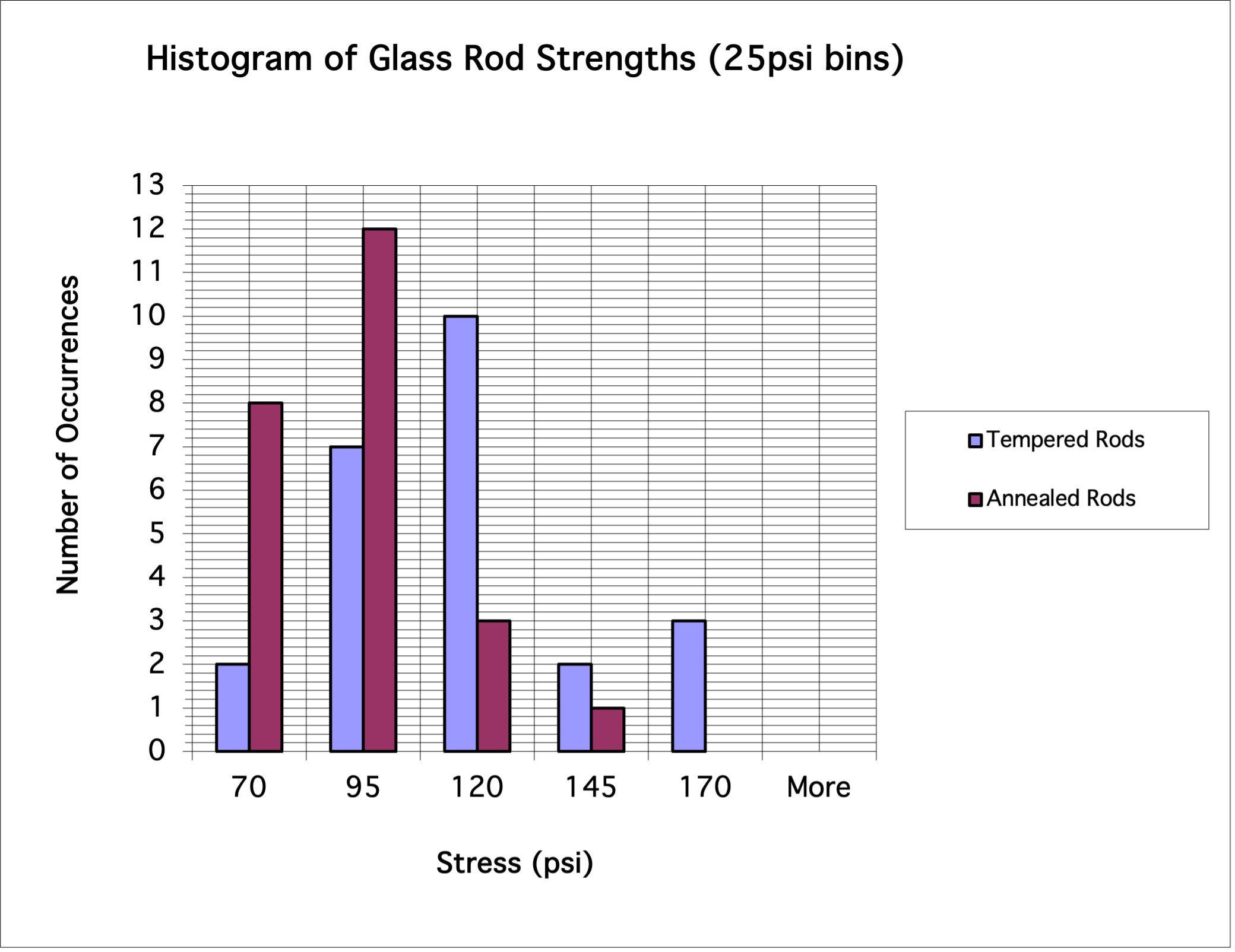
The grid lines in Figure 2 are distracting, without adding anything to the interpretation of the graph. Also notice that scale labeling is too dense on the vertical axis, making it difficult to read.
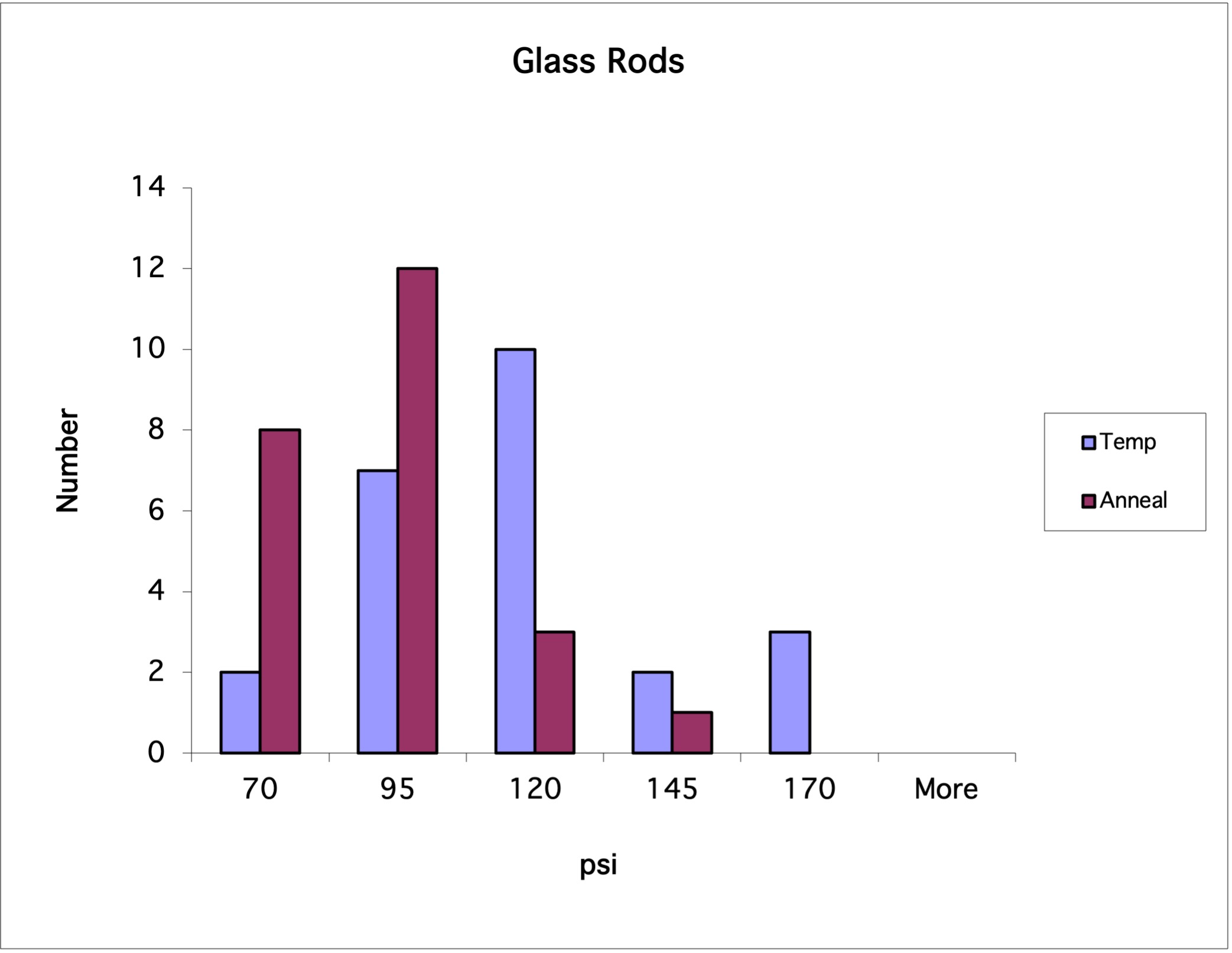
In Figure 3, all of the labeling is too terse. The title indicates that the graph has something to do with glass rods, but we don't know what. The horizontal axis gives the units but not the variable name. The vertical axis does not clearly indicate that it is the number of occurrences. Notice the use of non-standard abbreviations in the legend. The 'temp' abbreviation could easily be mistaken for 'temperature' rather than 'tempered'.

Figure 4 has an equally inappropriate title. The independent and dependent variables are duplicated in the title without giving us any background of what these variables are related to (i.e., glass rod strength). Also notice the misspelling in the title. Excel will not spell-check your titles and labeling, so double-check!

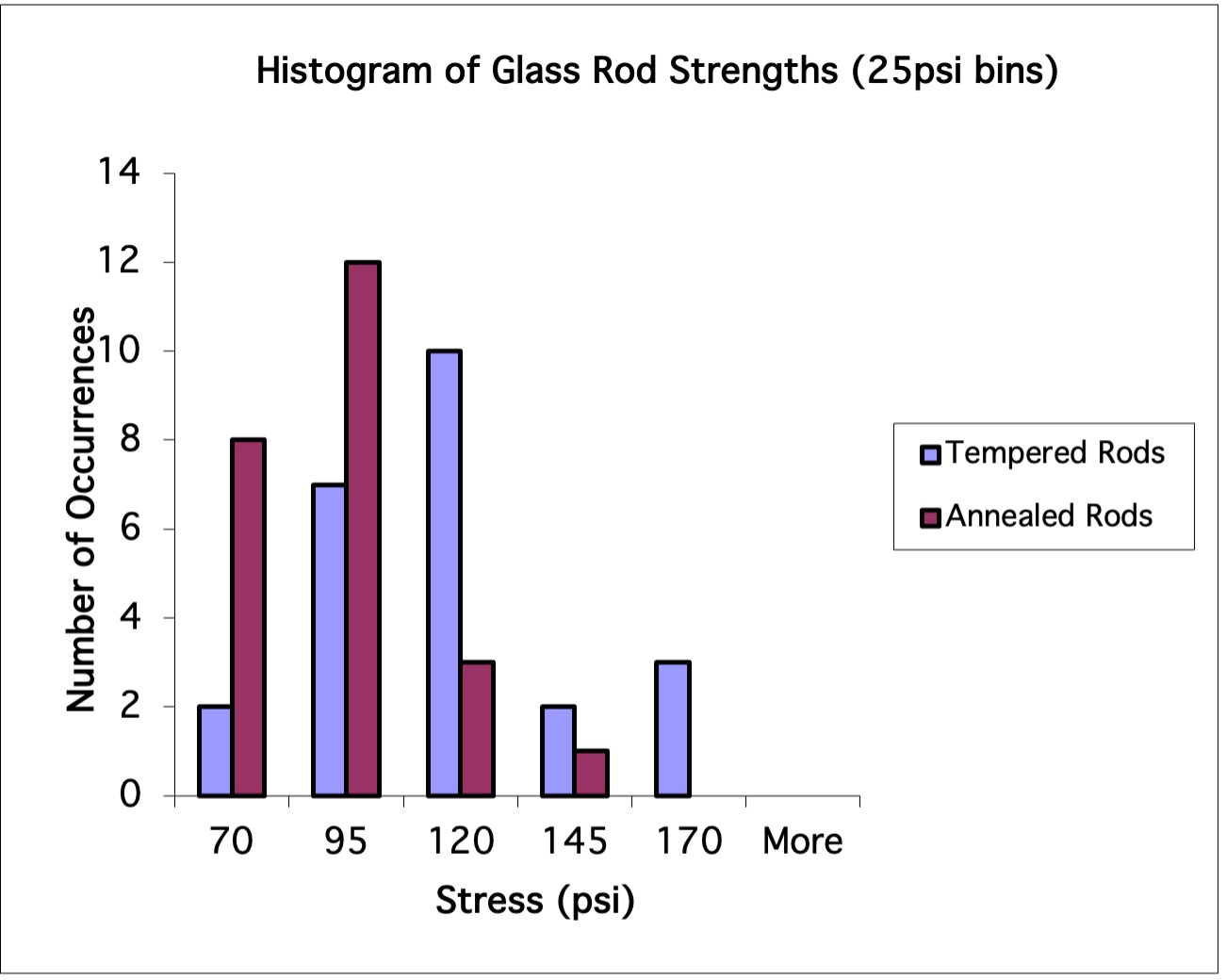
Figures 5 shows examples of too large and too small text. The too large text in Figure 5a ends up crowding out the most important part of the graphic, the graph, without adding anything to the readability of the graphic. Also notice that too large text begins to create problems with words breaking across lines. The smaller text in Figure 5b provides more room for the graph and nice spacing for the scale labels, but it will be difficult to read. Though the small text may be marginally acceptable on a high resolution laser printer, it will be hard to read off ink-jet printers and on the screen. Try to keep all text at least 9-10 points in size.